
Protect your Office 365 account against MFA fatigue attacks: a security emergency
MFA fatigue attacks flood users with notifications to hijack their Office 365 account. Reflexes and configuration settings to protect yourself against them.
What is an MFA fatigue attack?
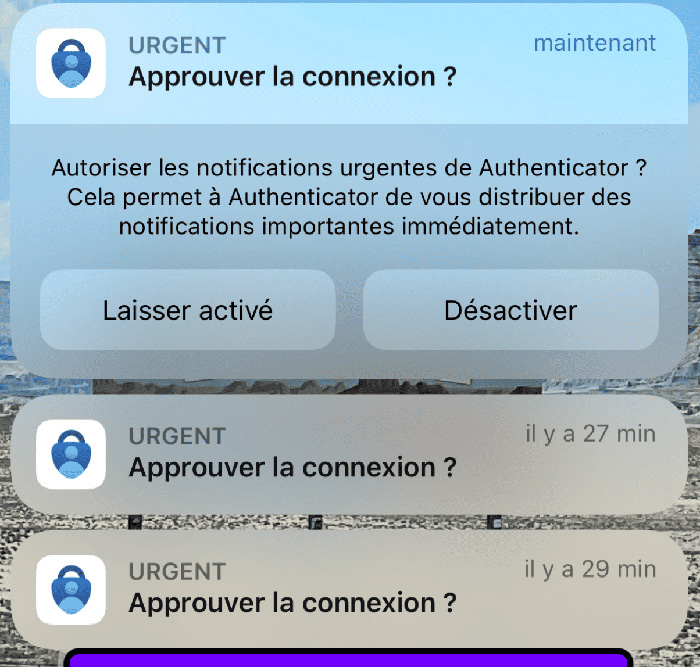
MFA fatigue attacks aim to flood users with MFA notifications, prompting them to approve a fraudulent one. Faced with this threat, responsiveness and preparation are essential. A few very simple countermeasures can drastically reduce the risk of an MFA fatigue attack.
What to do in the event of an MFA fatigue attack?
- Check the audit logs: make sure your mailbox has not been compromised by examining the audit logs in Office 365 for any suspicious activity. If you need help analysing these logs, do not hesitate to get support.
- Change your password: if you suspect an attack, change your password immediately to avoid any compromise. Checking the O365 audit logs beforehand makes it possible to verify that the mailbox of the user whose password we are about to reset is not compromised.
- False positives: be aware of possible false positives and adapt your measures to the specific features of your environment. Apple devices sometimes attempt “background” reconnections that can behave in the same way as MFA fatigue. The configurations described in the next section make it easier to tell these false positives apart.
Enabling “additional context” in Office 365
To strengthen your security:
- Go to the Microsoft Entra portal.
- Navigate to Identity > Protection > Authentication methods > Microsoft Authenticator > Configure
- Configure the advanced settings to enable:
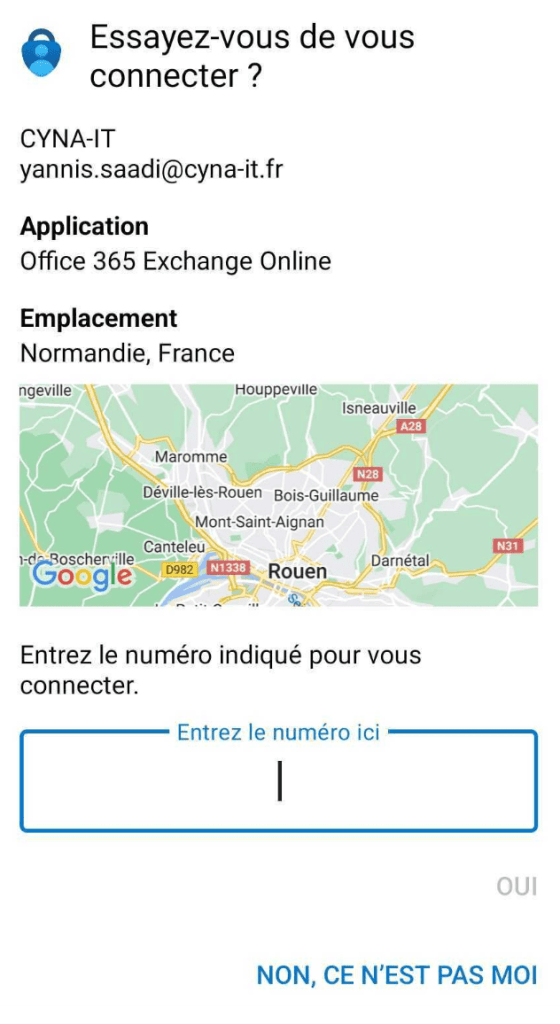
- Number matching for push notifications
- Display of the application name in notifications
- Geographic location in notifications
- Microsoft Authenticator on companion applications
Strengthen your security now
Do not let your company fall prey to cyberattacks.
These measures are crucial to protect your accounts and your Office 365 environment. The Microsoft Exchange service is very often the first way into an information system.
Do not hesitate to follow this blog and the technical posts regularly published here for more information on best practices for widely used services that are very often targeted. Your vigilance and your collaboration are essential in the face of these threats.
This article provides general information for guidance only. It is neither legal advice nor a contractual commitment from Cyna: service terms are those of the contract agreed through your partner MSP. For any regulatory question, consult your legal adviser.